| Embedded Microcontroller |
|
Decoding digital data stored on cassette tapes from vintage computers
|
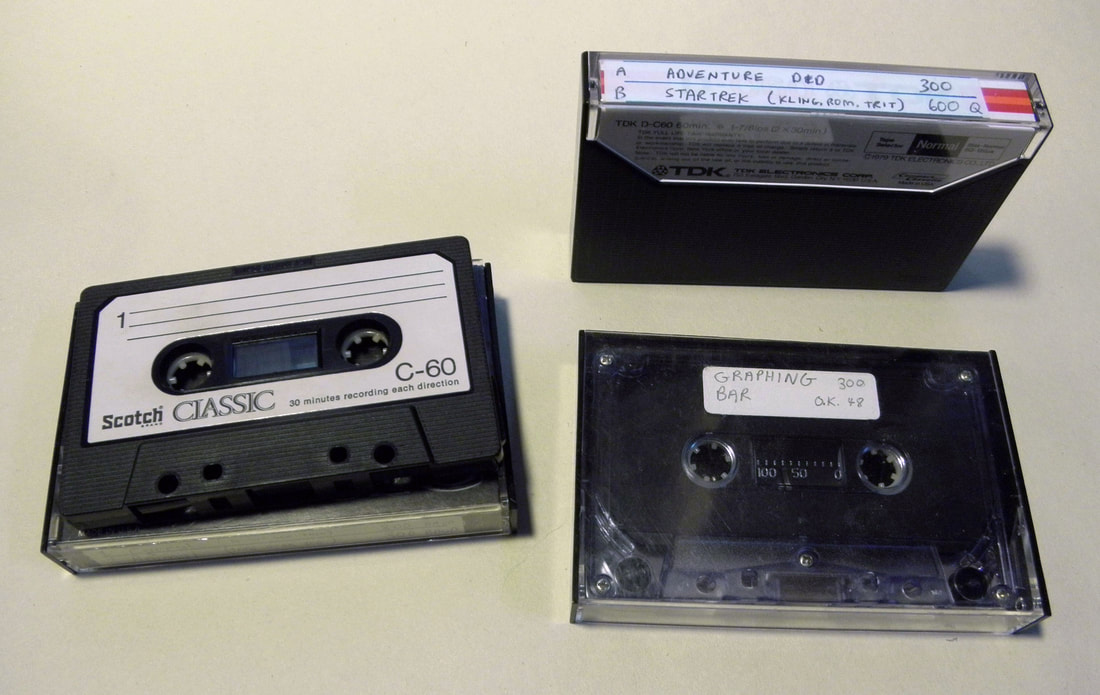
You can use your vintage computer to read the data stored on the cassette tape, unless you no longer have the computer, or in my case the Kansas City tape interface appears to be broken, as I only can get gibberish out of it.
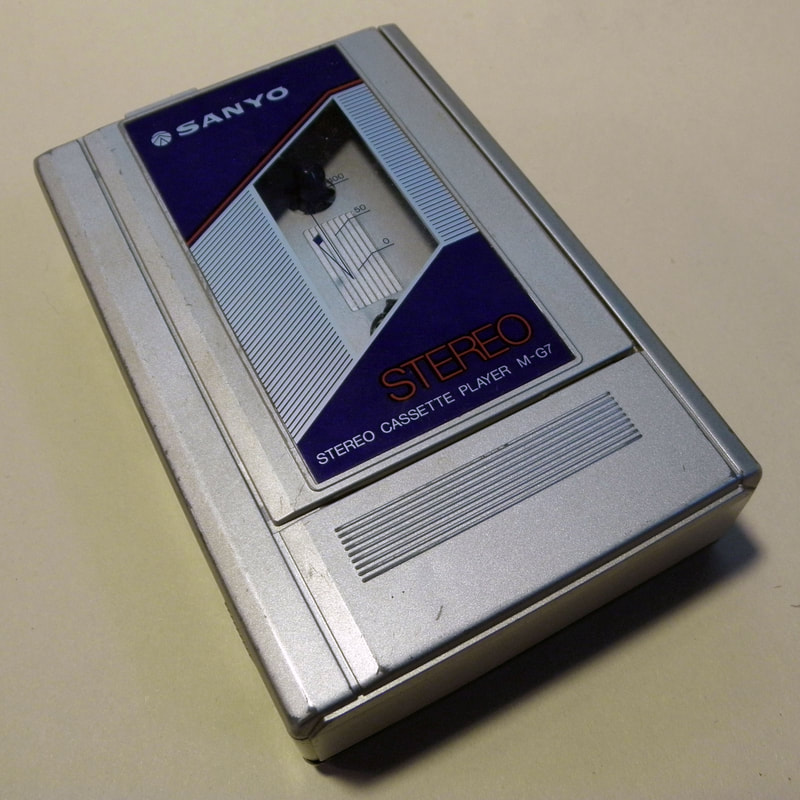
David Beazley has written a free program "kcs_decode.py" in Python3 which allows you to recover the data from a Kansas City encoded cassette tape. I use a free program Audacity to record the cassette tape contents to my computer. You need to connect the output of a vintage cassette player to the line input on your computer. Press record on Audacity and Play on the cassette player. After a minute or two, you will have an audio file containing your program. |
|
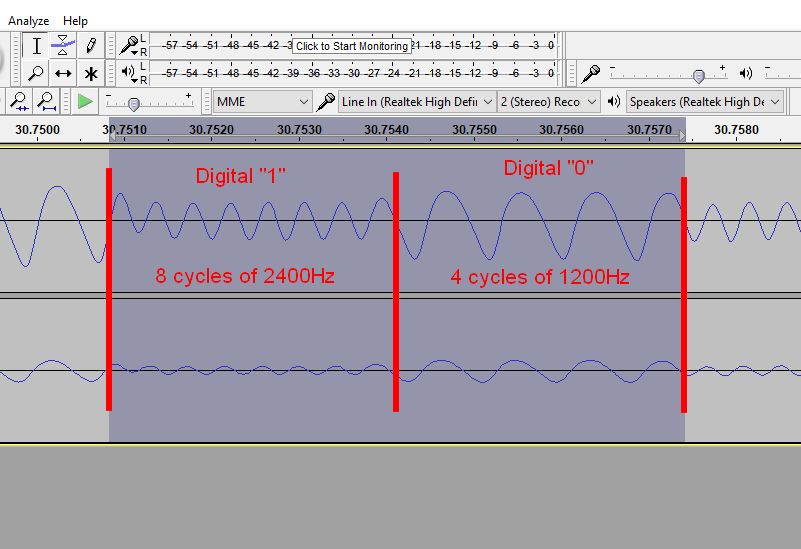
The tapes that I am decoding come from an Ohio Scientific C1P superboard computer. The analog waveform that is on the cassette is a string of tones, either 1200Hz for a zero or 2400 Hz for a one. At 300 Baud, there are 4 cycles of 1200Hz which make up a zero bit and 8 cycles of 2400Hz which make a single one bit. The serial stream for a complete byte is start bit, 8 data bits, 2 stop bits.
|
|
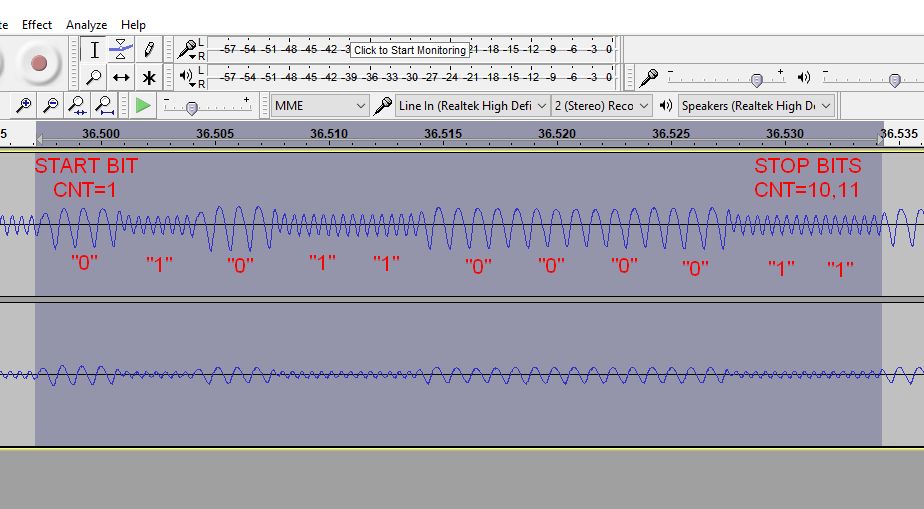
The serial data coming off the cassette tape is a very typical UART serial stream. The data in the case of the Ohio Scientific is 11 bits, 1 start bit, 8 data bits, 2 stop bits. In the picture below, I have decoded what one byte of data looks like. In this case (ignoring start and stop bits) its binary 1011000. The data is stored least significant bit first, so it actually reads as binary 00001101 = hex D = ASCII Carriage Return.
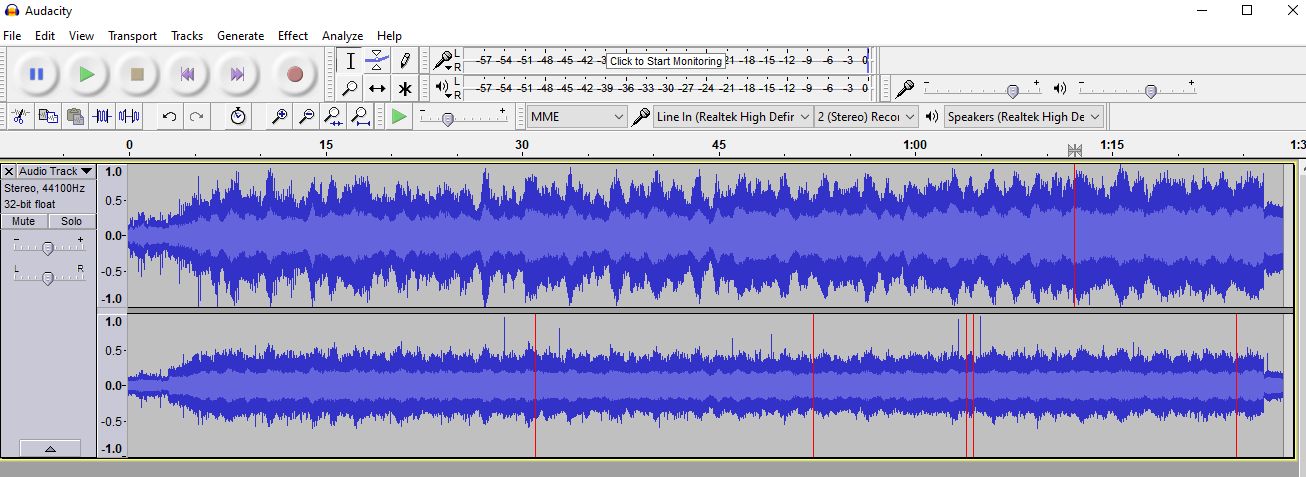
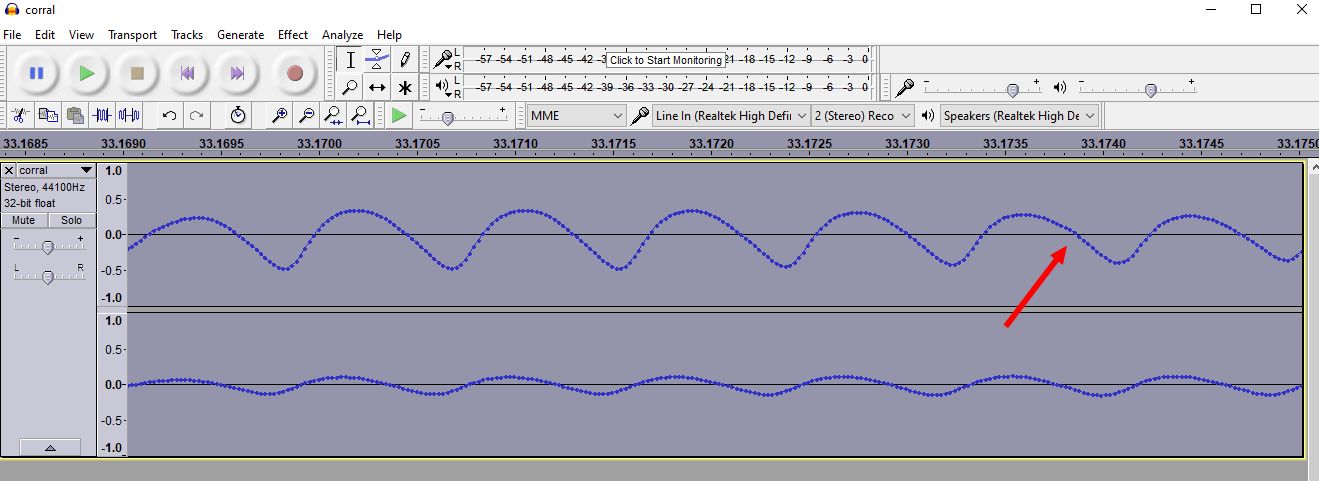
Its a little hard to see. This recording had a short lead-in lead-out tones. The lead tones are just constant "1"'s being sent, or 2400 Hz. You may need to adjust the volume to get a good recording level. If you zoom in below, you will see low frequency noise. This noise can corrupt the reading of the waveform, as the python program looks for zero crossings and missing a zero crossing can introduce errors in the decoded file.
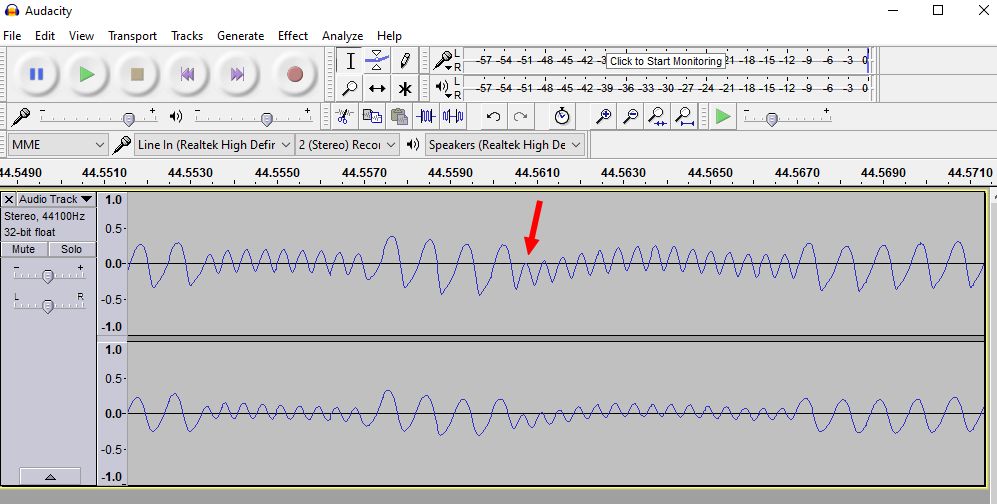
If I zoom into the waveform that I captured, notice the curl in the audio waveform. At the red arrow the waveform is so far depressed that the decoding program may lose the important zero crossings. The zero level is indicated by the black line. If we use Audacity to apply a high pass filter we can straighten out the recovered waveform. Since Kansas City is based on only two tones, 1200Hz and 2400Hz, you can apply a high pass filter. I used a high pass filter set at 1100 Hz, 12db. It gives the following results:
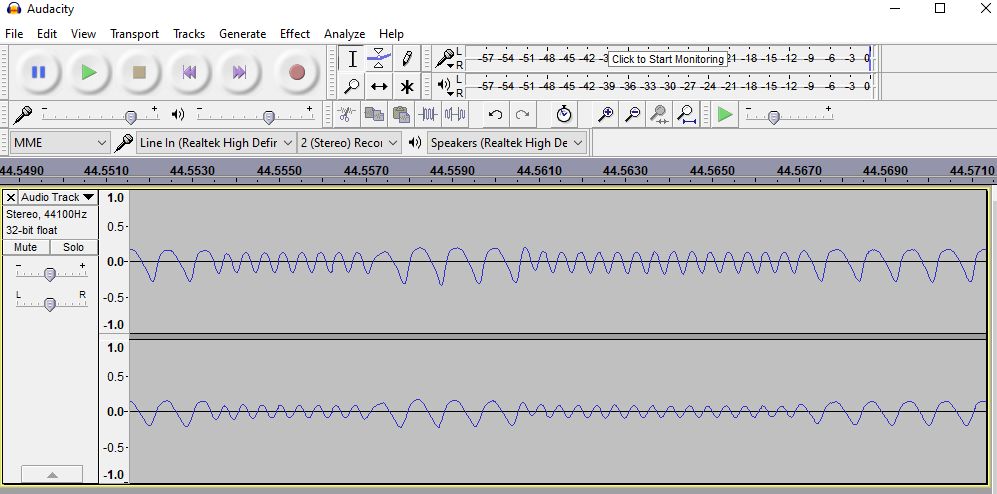
I also like to use the normalize function. Within the normalize function, check the box to remove DC offset and normalize to -0.25 dB. It should be noted that the kcs_decode program only uses the channel 0, or the top channel in Audacity to locate the zero crossings. So don't worry about the bottom channel and how it looks. Use the Export audio function to export a "WAV (microsoft) signed 16-bit PCM". kcs_decode works on uncompressed WAV files. I export in stereo. I have not tested just saving a mono-waveform.
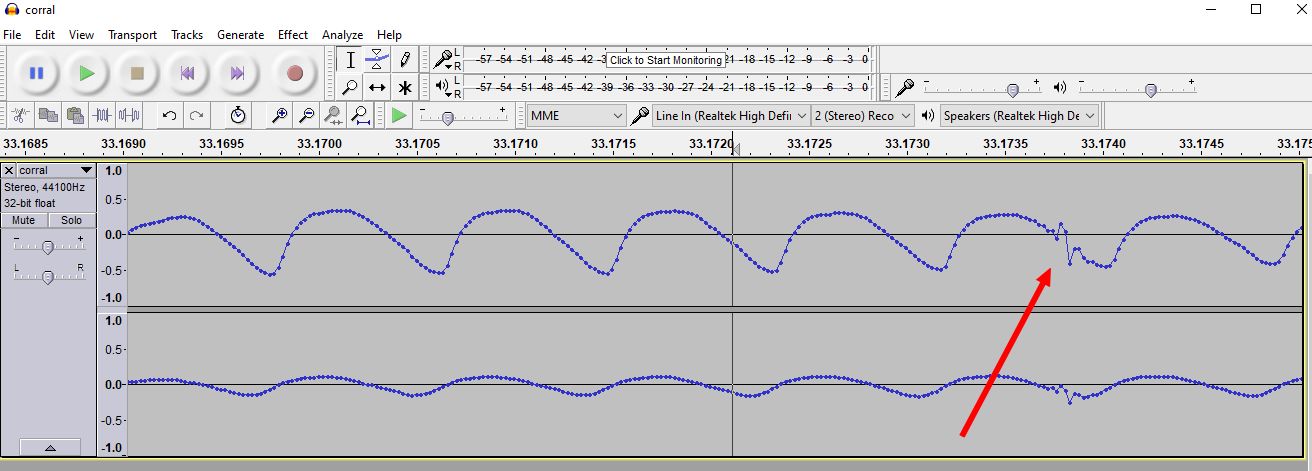
The decode of my 40 year old cassette tape (from my Ohio Scientific) was going good. Although it still had a few errors. At first I thought it may be tape deterioration, but the waveform looked reasonable clean. So I figured it must be a bug in the program, so I tinkered with it for a couple of days. Could not find any issues, so finally I started scrolling through the waveform, looking for anything odd. After some time, I found a few high frequency glitches, like the one above. The glitch is large enough that it crosses the zero line, so it generates additional zero crossings, which the computer decode program counts as real. I applied a low pass filter, 2500Hz 12db and that removed the high frequency spikes. See image below, you almost cannot even tell there was a spike.
That was it, the 40 year old cassette tape was coming through 100% perfect. I have additional tapes, which I will convert. I am curious as to how many tapes have survived the 40 years in my basement. Tapes are generally not supposed to survive that long, especially the low quality tapes I bought back in day. I also have tapes recorded at 600 baud, so I will need to make some modifications to the decoder program in order to transfer my entire library.
